!
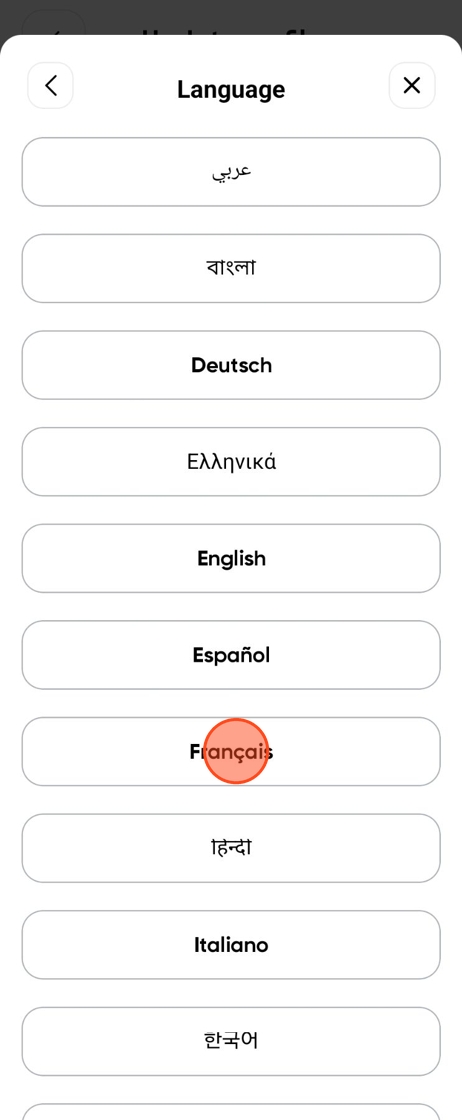
Please note: the supported languages are:
- English
- عربي - Arabic
- বাংলা - Bangla
- 中国人 - Chinese
- Français - French
- Deutsch - German
- Ελληνικά - Greek
- हिंदी - Hindi
- Italiana - Italian
- 한국인 - Korean
- नेपाली - Nepalese
- Polski - Polish
- Española - Spanish
- Tiếng Việt - Vietnamese
- Zulu - Zulu
Changing Your Language
1
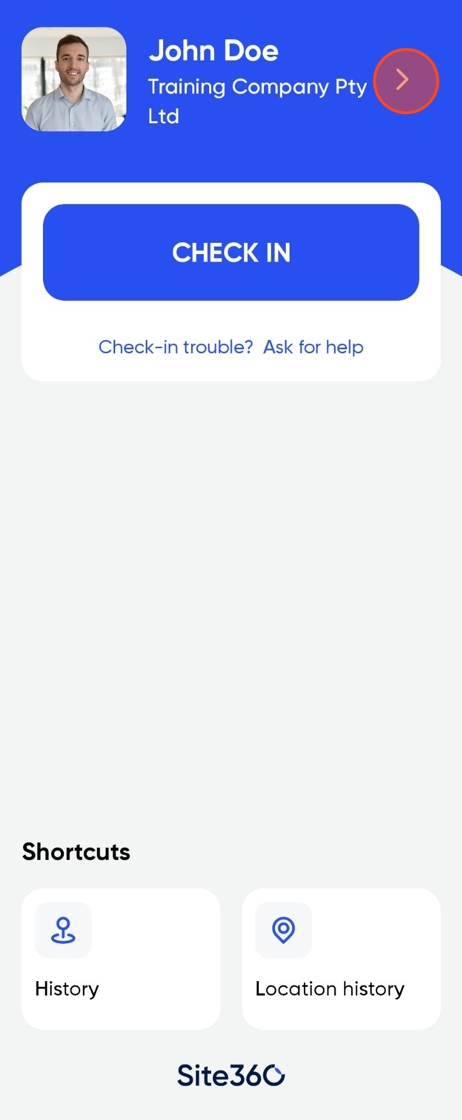
Click on the profile banner.
2
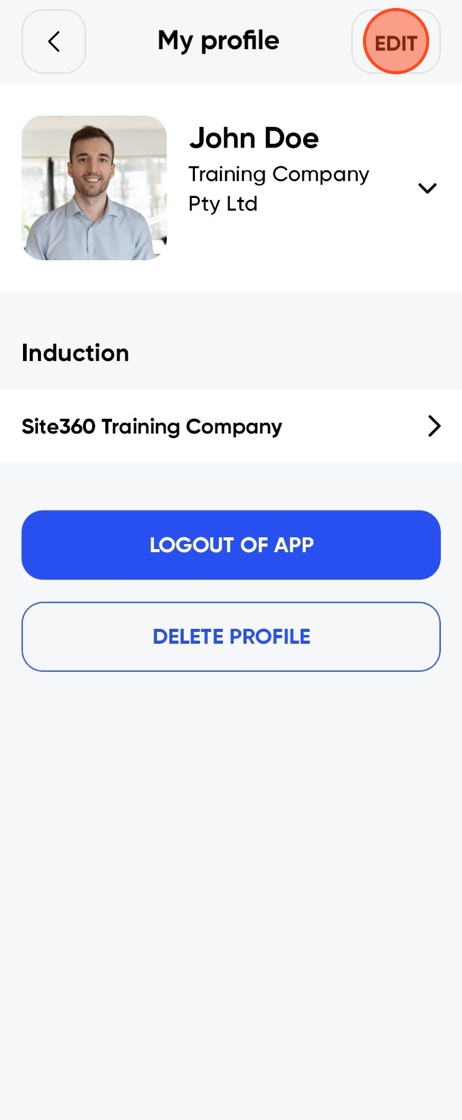
Click Edit.
3
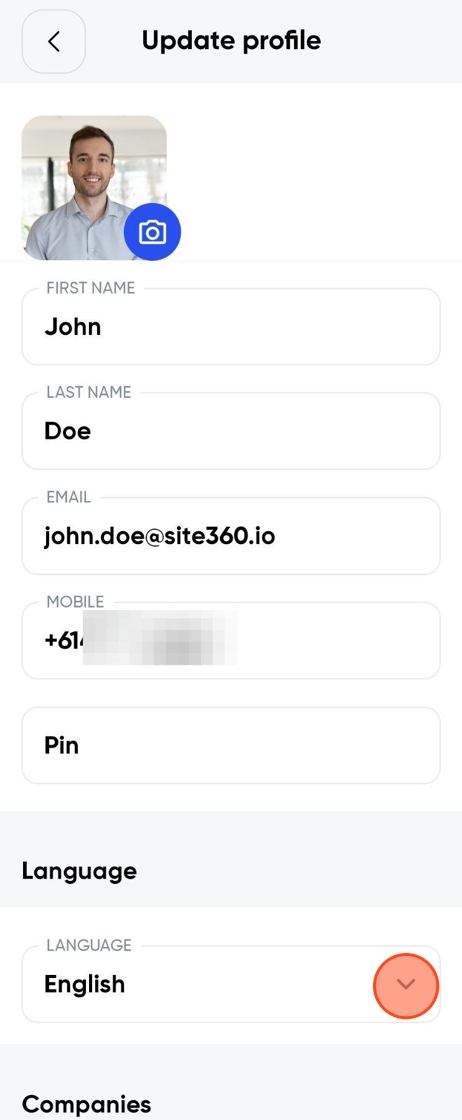
Tap Languages.
4
Tap your language.
5
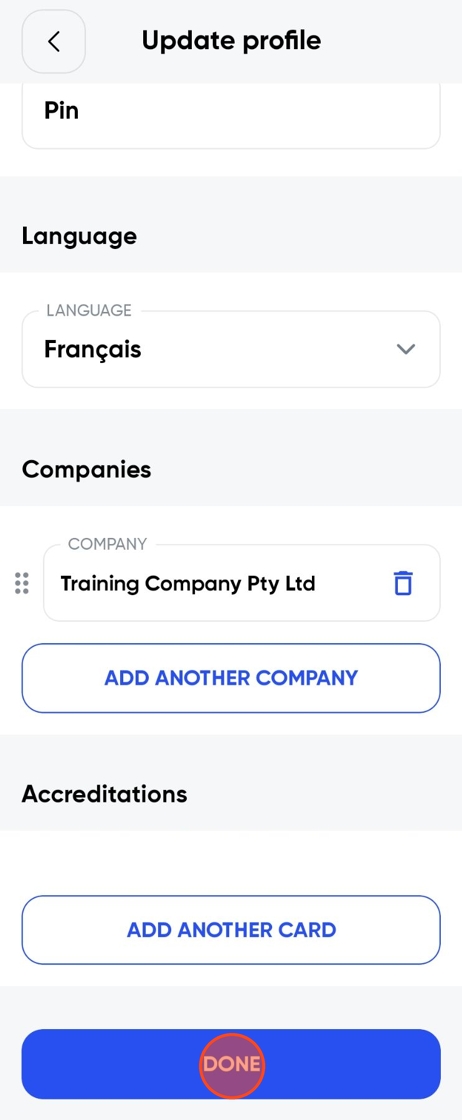
Once you have selected a language, click Done at the bottom.
6
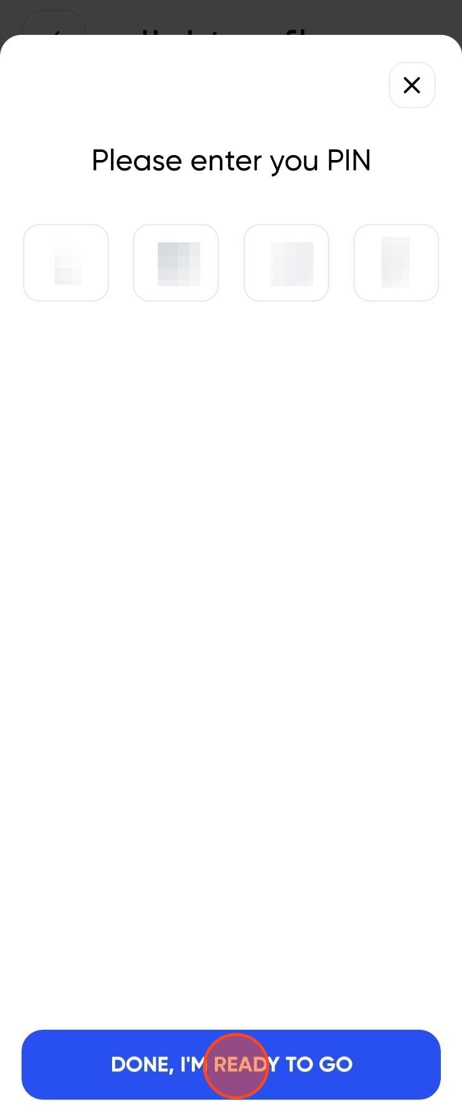
Enter your PIN and click Done, I'm Ready To Go.
7
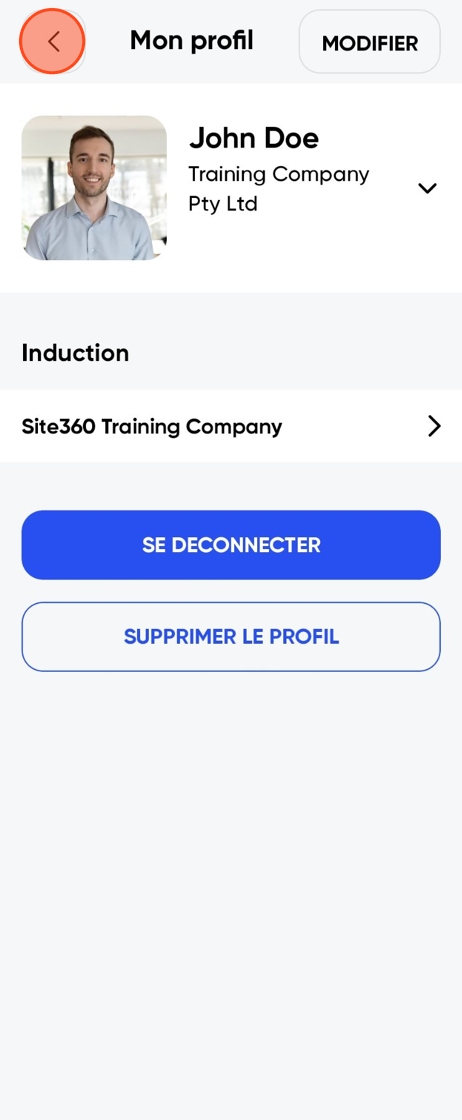
Click the back arrow.
8
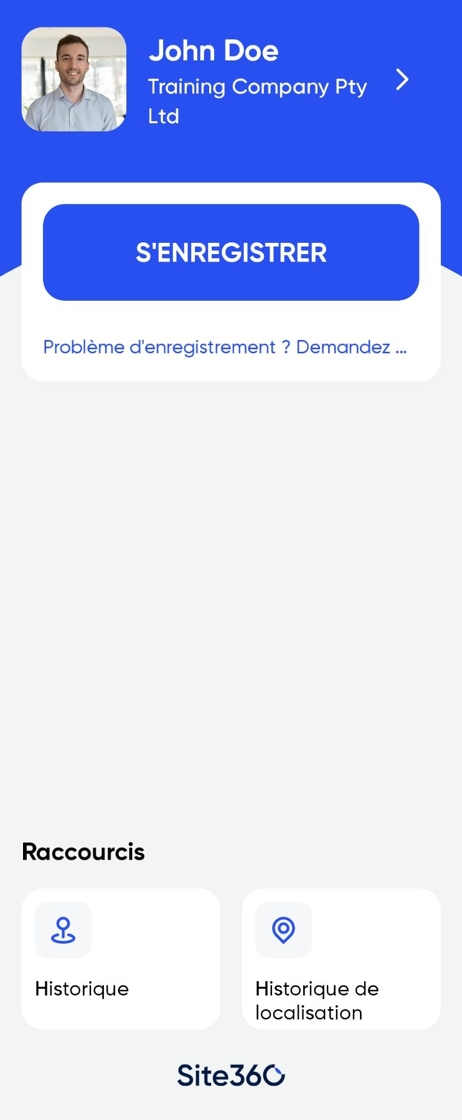
You have successfully changed your language.
Still need a hand?
Reach out to the Site360 Support team and we'll get you sorted.
Was this article helpful?
That’s Great!
Thank you for your feedback
Sorry! We couldn't be helpful
Thank you for your feedback
Feedback sent
We appreciate your effort and will try to fix the article