Assigning an Induction
1
Click Edit Onboarding.

2
Click Inductions.

3
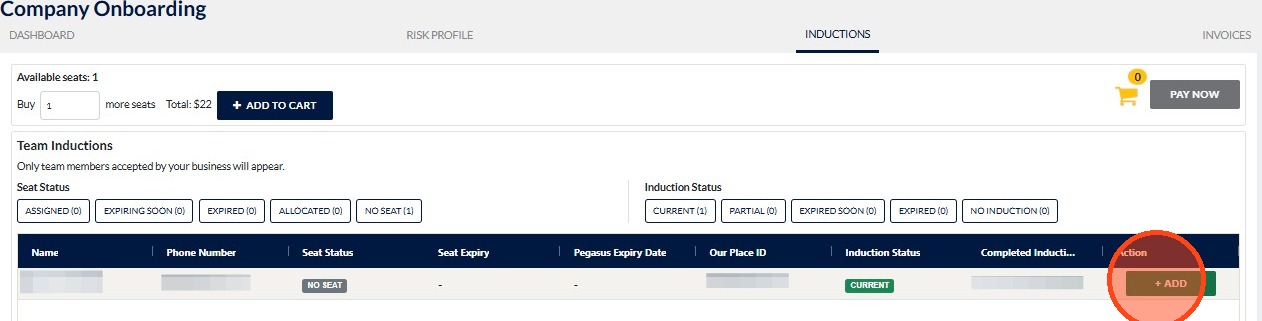
Click + ADD.
4
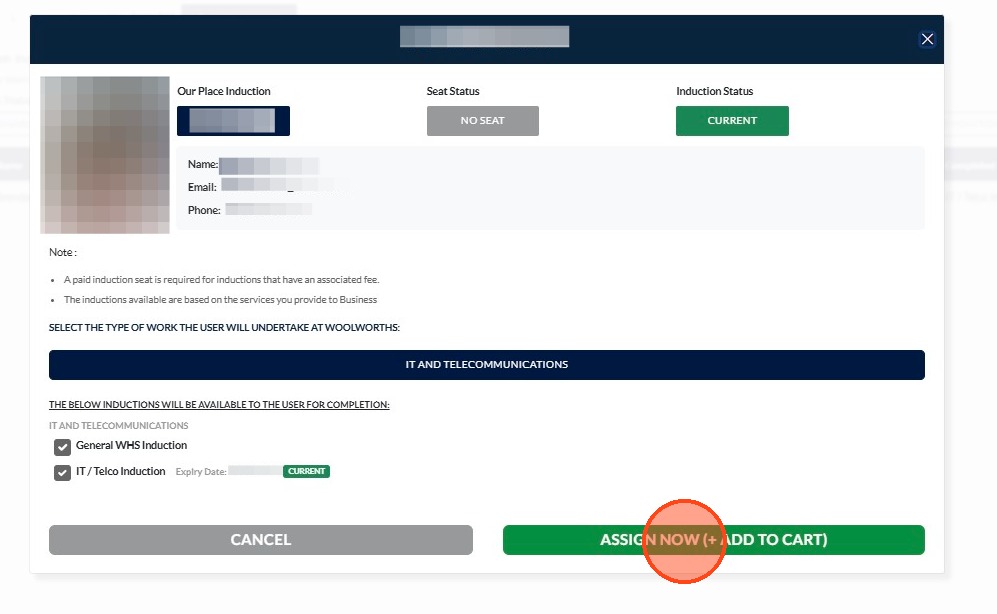
Click ASSIGN NOW (+ ADD TO CART).
5
Click PAY NOW.

6
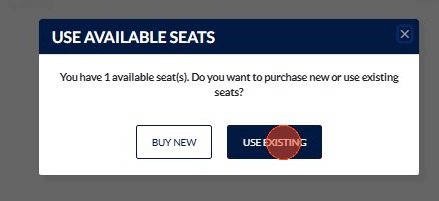
Click USE EXISTING.
!
Please note: if you do not have an existing seat, you will need to buy a new seat.
Still need a hand?
Reach out to the Site360 Support team and we'll get you sorted.
Was this article helpful?
That’s Great!
Thank you for your feedback
Sorry! We couldn't be helpful
Thank you for your feedback
Feedback sent
We appreciate your effort and will try to fix the article